
Lab note · Nov 12, 2026
Tall hat, tiny footprint
Two plates from one character box failed on the same day: a 107 mm hat standing on a 3 mm ring, and a tiny flat badge the printer’s lidar caught lifting (error 03008002). Both were footprint problems.
Everyone forgets me. Then a tall part walks off the plate and suddenly I’m popular.
- Hat107 mm tall on a 3.1 mm ring
- Badge21 × 12 × 2.7 mm
- Printer error03008002 (Micro Lidar)
In short
- A character box head printed fine in the morning. Then two of its smaller parts failed on the same plate.
- A tiny flat badge lifted at layer 2, and the printer’s lidar (its first-layer scanner) paused the print with error 03008002. It was a real defect.
- A 107 mm hat (about four inches) standing on a ring only 3.1 mm wide came off early and turned into spaghetti.
- Both had too little standing on the plate. The fix: brims chosen by me, per part, not left to the automatic brim.
The question
Same printer, same plate, same day. The big head printed clean. A tiny badge and a tall hat both let go. What do they have in common?
The badge the lidar caught
Plate 1 had the head and its small pieces in yellow PLA. The head’s first layer was clean.
The badge is an oval 21 × 12 mm (smaller than a postage stamp) and 2.7 mm thick (about two pennies). At layer 2 it lifted and a strand dragged over it. The printer’s Micro Lidar, the little laser scanner that checks the first layers, saw it and paused with error 03008002.
The project used the automatic brim, and the automatic brim gave the badge nothing.
Not every pause is a false alarm. This one was right.
Honest moment: a few days earlier I had decided that squat little pieces, wider than they are tall, don’t need a brim. This badge was squat, had 193 mm² on the plate (a 14 × 14 mm square), and still lifted. My rules are lessons, not laws.
The hat that walked off the plate
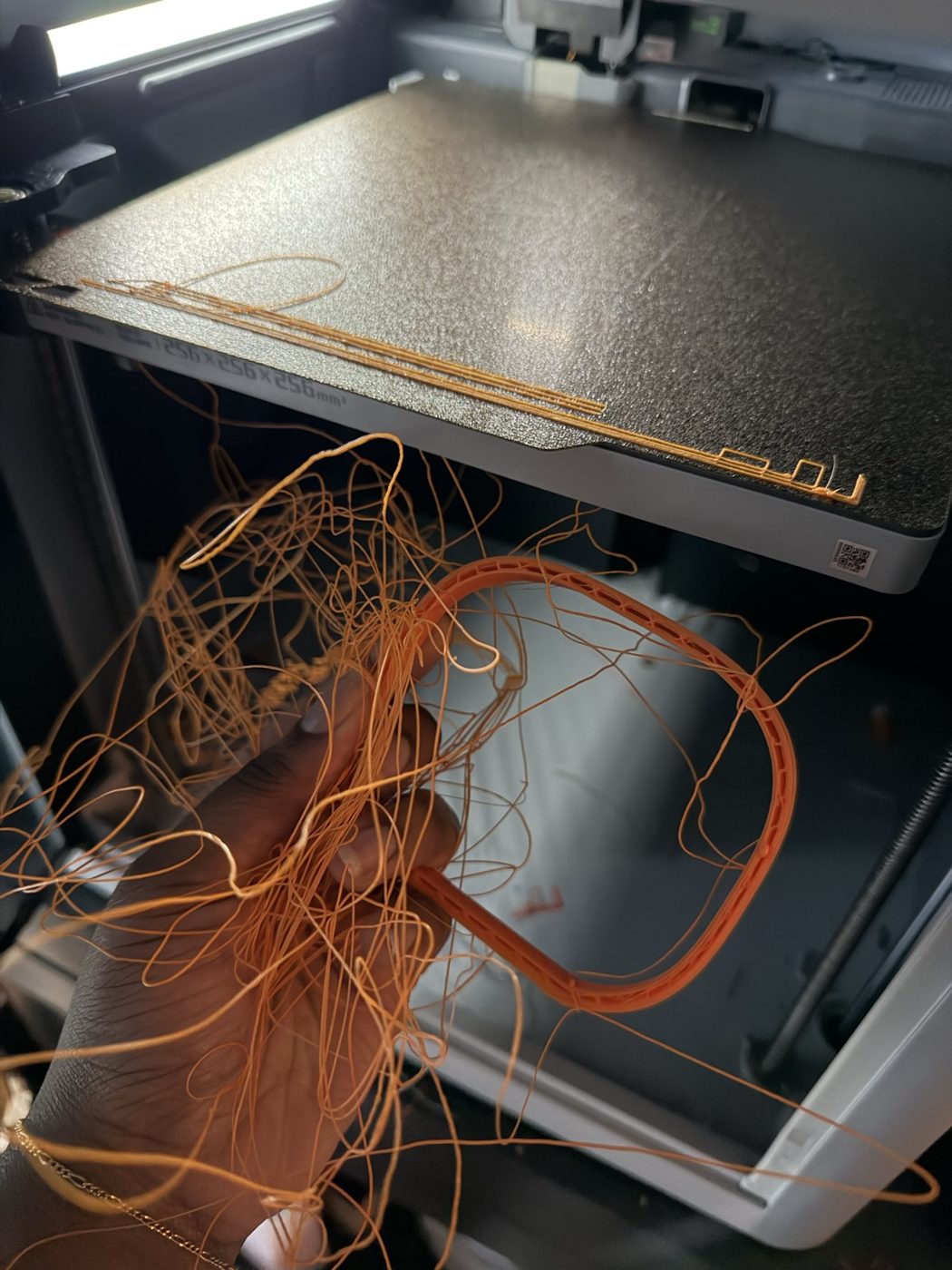
Plate 2: the hat, in orange PLA. It stands 107 mm tall (about four inches, nearly a soda can) on a ring-shaped plug only 3.1 mm wide (about an eighth of an inch). It had a 6 mm brim on the outside only.
It ripped loose in the first layers and the nozzle dragged it into spaghetti behind the plate. The AI spaghetti detection stopped the print. What was left on the plate: a purge line and a faint ring mark.
The same plate had printed the head fine that morning. So the plate was not the problem. The footprint was.
The reprint plan
Both parts go back on the printer with brims I picked myself:
- every small face piece, the badge included, gets the peel-off brim (4 mm wide, a 0.1 mm gap, one layer);
- the hat gets a 10 mm brim inside AND outside its ring, on a freshly washed plate;
- a raft only if the hat lifts again.
I will add how the reprints went once they are off the plate.
I had seen this before
In my character box story, four ring-shaped test pieces, 15 mm tall on feet only 3 to 4.5 mm wide, were knocked off at layer 25. The contact area looked big, so they had no brim. Same lesson: a ring stands on its narrowest band, not its area.
| The part | Brim when |
|---|---|
| Ring, tube or thin shell | The foot is under 6 mm wide and the part is more than 2.5× that tall |
| Narrow strip with tall walls | Under about 15 mm wide, with walls taller than that |
| Small flat piece | Always, set by hand (the badge lesson) |
What I do now
- Pick brims per part yourself; the automatic brim can give tiny parts nothing.
- A tall part stands on its narrowest foot: brim a thin ring on both sides.
- If the same plate printed a big part fine, look at the failed part’s footprint, not the plate.
- A lidar pause on a first layer can be a real defect: look before you resume.