
Lab note · Nov 1, 2026
Two AMS stops, one cause: a spool that wasn't wound snug
The AMS stopped twice in a week, once pulling filament back and once feeding it in. Both times a strand on the spool wasn't lying flat.
Um. That was me. One loose strand and everything stops. Wind me up snug, please.
- Errors0700-8004, 0700-8006
- Cause both timesSlack on the spool
- FixWind the spool back by hand
The question
The AMS (the box that holds four spools and feeds them to the printer) stopped a print with "Unable to feed filament into the extruder" and suggested a tangle, a stuck spool or a loose tube. Which one was it, and how do you stop it happening again?
What we saw
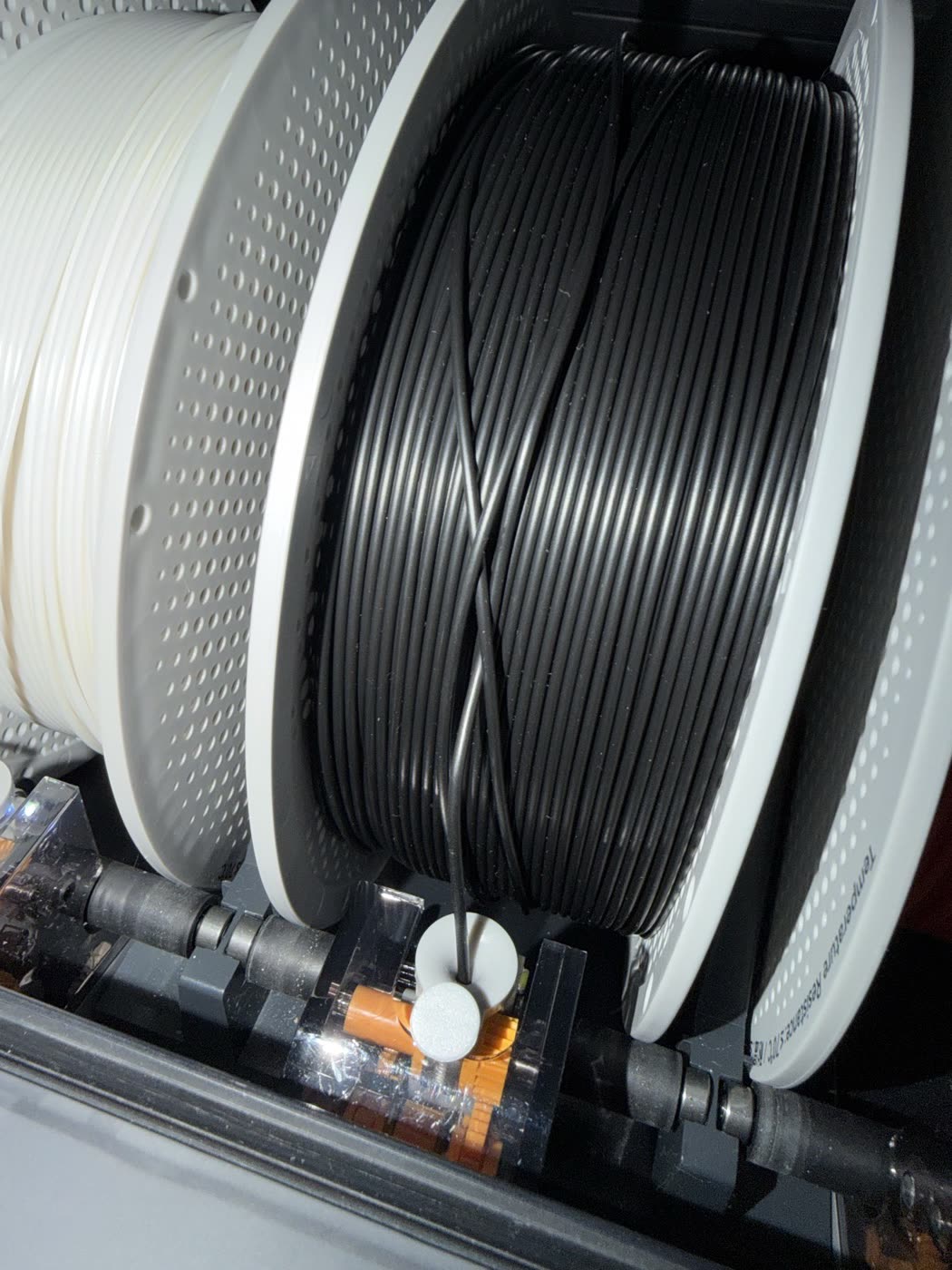
Nov 1: a small plate of black parts finished printing, then the AMS stopped with error 0700-8006: it could not feed the black filament. The light on that slot went red.
Look at the black spool: one strand runs back across the other wraps in an X. The strand underneath it is pinched, so the AMS pulls and nothing moves.
The fix
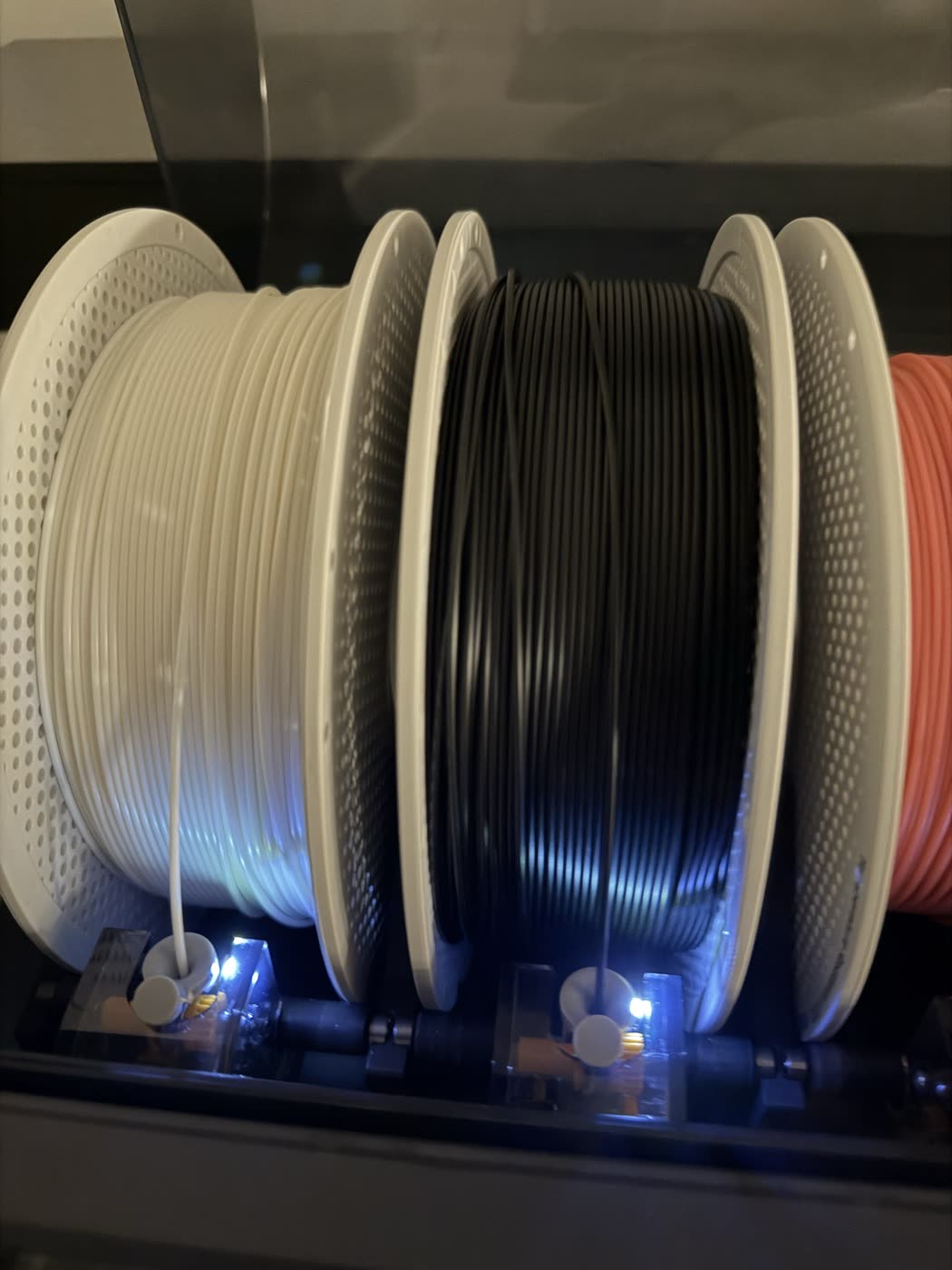
Open the AMS lid, lift the crossing strand free, then turn the spool backwards by hand until every wrap lies side by side and snug. The light went back to white.
If the tip got bent from the failed feed, cut it clean at an angle, straighten the first few centimetres and push it into the slot until the AMS grabs it. Then press Finished, Continue.
We had seen this before
Oct 26, error 0700-8004 ("failed to pull back filament") at a color change: loose loops lying across the front of two cardboard spools, and one arcing over the top. Lifting them out and winding the spools snug fixed it.
Pulling back and feeding in are opposite jobs, but the cause was the same: slack. A spool that has been unwound by hand, or put back in loosely, lets a loop jump off and trap itself.
| Date | Error | What it said | What we found |
|---|---|---|---|
| Oct 26 | 0700-8004 | Failed to pull back filament | Loose loops across the front of the spools |
| Nov 1 | 0700-8006 | Unable to feed filament into the extruder | One strand crossed back over the wraps |
What we do now
- Before a long or multi-color print, turn each spool backwards by hand until the wraps are snug.
- Look for any strand crossing the others, and lift it out before it gets pinched.
- After an AMS error: fix the spool first, cut a clean tip, then Finished, Continue.
- Check the tubes only after the spools: both times here it was the spool.